The Best Check-In Service for Solo Cyclists
Riding alone means nobody notices if you don't make it home. A check-in service for solo cyclists alerts your people if your ride runs late and you go quiet.
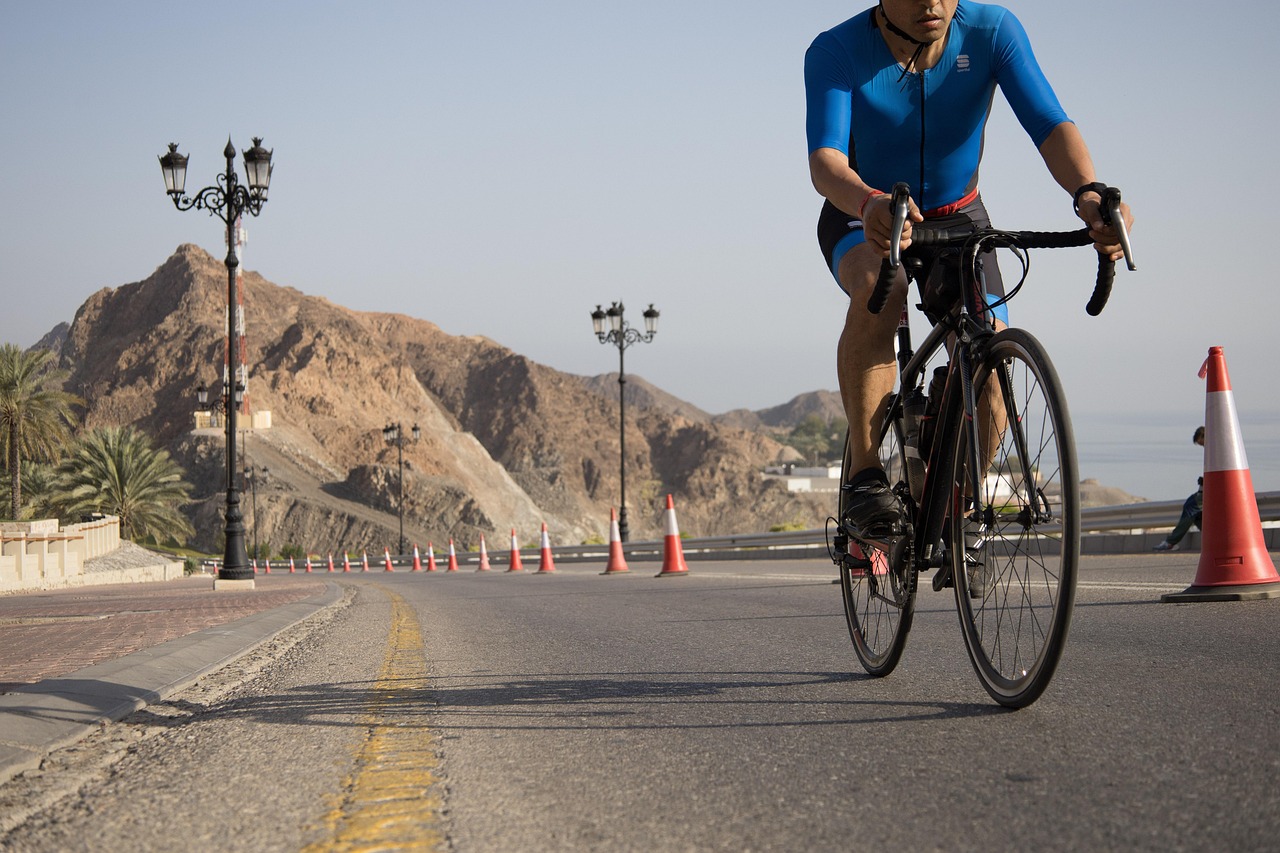
Riding alone is one of the best parts of cycling. You pick the route, set the pace, and turn around whenever you feel like it. No waiting at the top of a climb, no group chat debate about the start time. Just you, the road, and however many miles you have in your legs that day.
But solo rides also have a quiet downside. When you ride with a group, someone notices if you drop off the back. When you ride alone, the only people who know you're out are the ones you told, and they might not think twice until hours later.
A check-in service for solo cyclists closes that gap. You start a timer before you clip in, check back in when you're home, and if you don't, the people you choose are told automatically.
Why Solo Rides Can Go Unnoticed
Most solo cyclists are careful. They wear a helmet, carry a spare tube, and ride routes they know. The risk isn't recklessness. It's that a long ride naturally creates long stretches where nobody expects to hear from you.
- Rides are long by design. A two- or three-hour ride is normal, so a late return doesn't stand out right away.
- Quiet roads are the appeal. The back roads and gravel routes that make solo riding great are often the ones with the least traffic.
- Your phone is in a pocket. You might not hear a call or see a text until you stop, so missed messages look normal to people at home.
- Plans change mid-ride. A detour, an extra loop, or a café stop can stretch a ride well past what you said.
- Small problems can turn into long delays. A flat in a dead zone, a mechanical, or a bonk can leave you walking a long way.
None of this is a reason to stop riding alone. It's a reason to set up a simple safety net that expects you back and speaks up when you're not.
How CheckIn More Works for Cyclists
CheckIn More gives you two tools: safety timers for individual rides, and daily check-ins for the rhythm of your week.
Safety Timers for Every Ride
A safety timer is built for exactly the kind of thing a solo ride is: a one-off stretch of time where you want someone to know if you don't come back.
Before you head out, set a duration and an optional note, like "2.5 hour road ride, river loop" or "gravel ride, back by noon." When you're home, check back in. If the timer runs out and you haven't, there's a five-minute grace period, and then your contacts are notified.
That grace period matters on a bike. You might be rolling into your driveway right as the timer ends. Five minutes gives you room to unclip, put the bike away, and tap "I'm back" without setting off a false alarm.
Start a Timer by Text
You don't even need to open the app. Text CheckIn More's number in plain language, like "2h going on a ride," and your timer starts.
That's handy when you're already in your kit with gloves on. It also works mid-ride. Stopped for coffee and feeling good? Text "need 30 more minutes" to extend. Cutting it short? Text "I'm back" or "cancel."
Daily Check-Ins Around Your Week
If you also live on your own, daily check-ins add a second layer. You choose the time, the days of the week, and how long your check-in window stays open. When it's time, you get a reminder notification, and checking in takes a couple of taps.
You can share a quick mood status (bad, okay, good, or great), and your check-in history is logged so you can look back on it. If you ever need help right away, the request assistance option alerts your contacts immediately. Heading off on a cycling trip? You can pause your check-ins and pick them back up when you're home.
If you split your training between the bike and running shoes, take a look at The Best Check-In Service for Solo Running.
Who Gets Notified, and How
Your contacts don't need the app or an account. You add them by name and phone number, and they confirm by replying "Yes" to a text. After that, they simply receive alerts. You can add as many contacts as you like, so a partner, a parent, and a riding buddy can all be in the loop.
Each contact can be set up with the notifications that fit them:
- Email is available on every plan.
- SMS is available on Plus and above.
- AI phone call is available on Premium, and it's the hardest alert to miss.
You also choose what each person hears about: completed check-ins, missed check-ins, assistance requests, or all three. A partner might want to know every time you're home, while a friend only needs to hear when something's off.
Not a Tracker, Just a Safety Net
CheckIn More is not a GPS tracker. There's no live location sharing and no route recording. It doesn't replace your bike computer or your ride-tracking app, and it doesn't post anything anywhere.
That's a deliberate choice. Plenty of cyclists don't want someone watching a dot move across a map, and they don't want their usual routes broadcast to anyone. With CheckIn More, your contacts hear nothing unless you let a timer expire, miss a check-in, or ask for help, plus completed check-ins if you choose to share them.
A simple habit that pairs well with a timer: put your planned route in the timer's note, or tell your contact before you leave. That way, if an alert does go out, the person receiving it knows roughly where to start.
Tips for Using a Check-In Service on Solo Rides
- Set the timer for your realistic finish, plus a buffer. Headwinds, flats, and café stops happen. Give yourself some slack so alerts stay meaningful.
- Use the note field. "River loop, out-and-back" tells your contact far more than a time alone.
- Extend instead of ignoring. If the ride is going long, a quick "need 30 more minutes" text keeps your contacts from worrying.
- Pick contacts who can act. Choose people who would actually call you, drive your usual route, or know who to call.
- Talk through the plan. Let your contacts know what an alert means and what they should try first.
- Check in as soon as you're home. Make it part of your post-ride routine, right next to refilling your bottles.
If you also head out on foot, The Best Check-In Service for Solo Hiking covers how timers fit longer days on the trail.
Getting Started
Setup takes a few minutes. Download the app, add a contact or two, and start a short timer on your next ride to see how it feels. After a few rides, it becomes as automatic as pumping your tires.
CheckIn More has a free plan with no credit card required, and paid plans add SMS alerts, AI phone calls, and more. It works on both iPhone and Android.
If you're looking for a check-in service for solo cyclists that keeps someone in the loop without tracking your every pedal stroke, CheckIn More was built for exactly that. It was made by Trevor and Kelly, a husband-and-wife team who know what it's like to worry about someone who's out on their own.
Frequently Asked Questions
Do I need to keep the app open during my ride? No. Start a timer in the app or by text, put your phone away, and check back in when you're done.
What if my ride takes longer than planned? Text "need 30 more minutes" to extend your timer. If you don't check in when the timer ends, there's a five-minute grace period before your contacts are notified.
Does CheckIn More track my location or route? No. CheckIn More is not a GPS tracker. Your contacts only hear from it when you let a timer expire, miss a check-in, or request assistance, plus completed check-ins if you choose.
Do my contacts need to download anything? No. Contacts just confirm by replying "Yes" to a text, then receive alerts by email, SMS, or AI phone call depending on your plan.
Is there a free version? Yes. CheckIn More has a free plan, no credit card required. Paid plans add SMS and AI phone call notifications.
Photo by farishamza007 on Pixabay.